
As YouTube continues expanding its gaming ecosystem, YouTube Playables has become one of the most exciting opportunities for HTML5 game developers. Instead of asking users to install a game from an app store, Playables allows players to launch games instantly inside the YouTube app or website. This frictionless experience makes it easier for developers to reach millions of potential players while giving users immediate access to entertainment.
However, one question appears in almost every developer community:
Can you actually make money with YouTube Playables?
The short answer is yes—but only through YouTube’s official monetization system.
Unlike Android or iOS games, where developers can freely integrate advertising networks such as AdMob, Unity Ads, or AppLovin, YouTube Playables follows a different model. The platform controls how advertisements are delivered, how monetization works, and which developers are eligible to earn revenue. This helps maintain a consistent experience for players while ensuring that all games comply with YouTube’s policies and quality standards.
If you’re planning to publish an HTML5 game on YouTube Playables, understanding the monetization system is just as important as building the game itself. Even a well-designed game may miss earning opportunities if its monetization features are not implemented correctly or if it violates YouTube’s guidelines.
In this complete 2026 guide, you’ll learn how YouTube Playables monetization works, which ad formats are supported, how revenue sharing currently operates, how to integrate ads using the official Playables SDK, and the common mistakes that could delay approval or limit your earning potential. Whether you’re a beginner or an experienced HTML5 developer, this guide will help you understand what it takes to monetize your game the right way.
What Is YouTube Playables Monetization?
YouTube Playables Monetization is the official revenue system designed for eligible developers who publish HTML5 games on the YouTube Playables platform. Rather than relying on external advertising providers or separate payment solutions, YouTube offers a centralized monetization framework that works directly within its own ecosystem. This means developers can earn revenue from supported advertising formats while YouTube manages ad delivery, user eligibility, and the overall monetization experience.
To understand this better, it’s helpful to compare YouTube Playables with traditional mobile game development.
If you’ve previously built games for Android or iOS, you’re probably familiar with integrating third-party advertising SDKs such as Google AdMob, Unity Ads, IronSource, or AppLovin MAX. In those ecosystems, developers have significant control over ad mediation, frequency, placement, and monetization strategy.
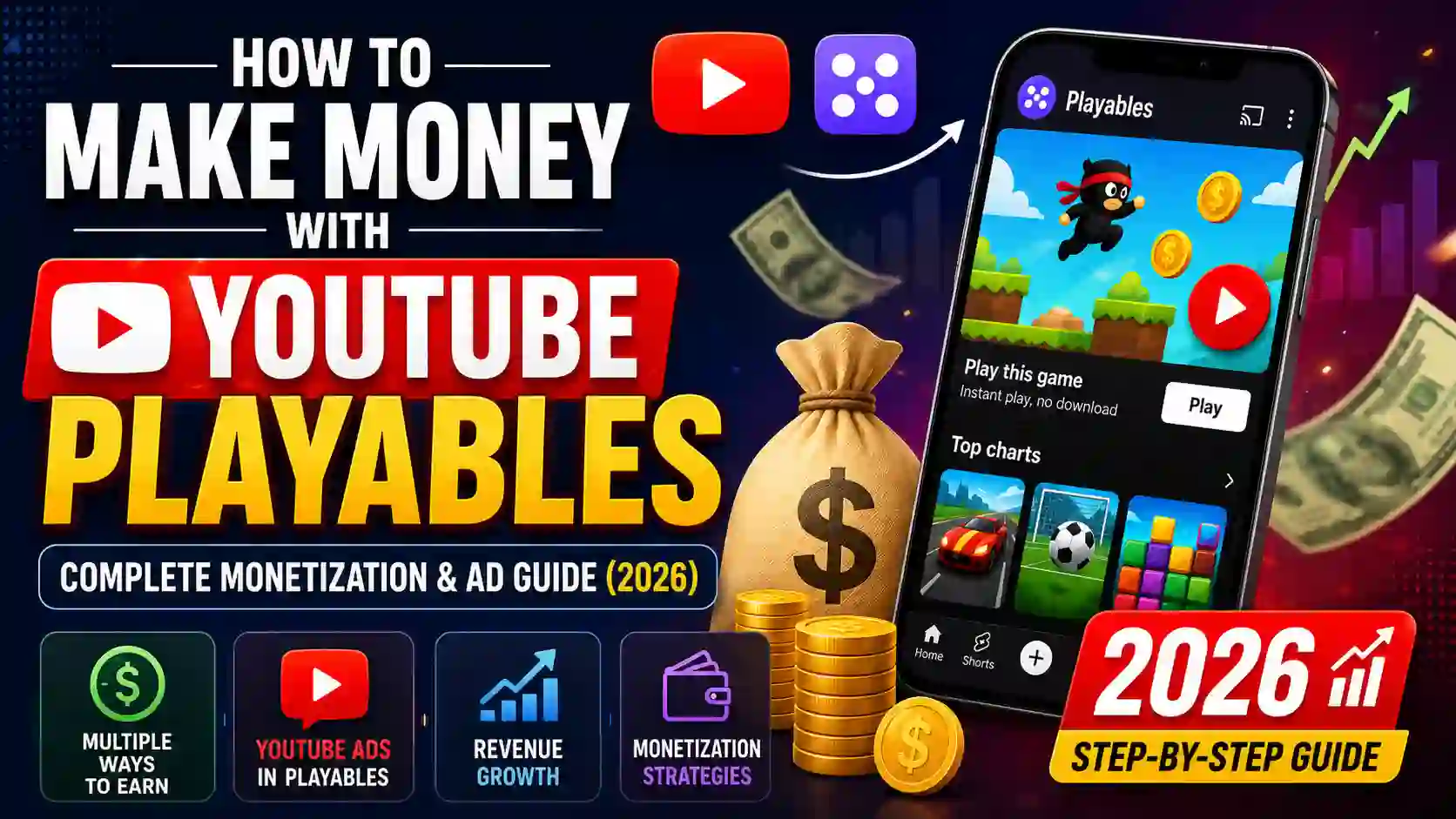
YouTube Playables works differently.
Instead of allowing developers to choose their own advertising provider, YouTube uses its own monetization infrastructure. Developers integrate the YouTube Playables SDK, which provides official APIs for supported advertising experiences. When a game requests an advertisement, the SDK communicates with YouTube’s systems to determine whether an ad is available, whether the player is eligible to see one, and which format should be displayed. The developer controls when to request an ad during gameplay, but YouTube controls whether an ad is actually shown.
This approach offers several important advantages.
First, it creates a consistent experience for players. Because all advertisements are served through YouTube’s ecosystem, users encounter familiar ad formats instead of multiple third-party advertising systems with different behaviors. This consistency helps maintain trust and reduces the likelihood of disruptive or misleading advertising experiences.
Second, developers don’t need to spend time configuring ad mediation platforms, negotiating with advertising partners, or managing multiple SDK updates. Instead, they focus on creating engaging gameplay while YouTube handles the complexity of ad delivery and monetization infrastructure behind the scenes.
Another key benefit is platform security and policy compliance. Since YouTube manages the advertising system, it can better enforce quality standards, protect users from abusive advertising practices, and ensure that monetized games follow its developer policies. This benefits both players and developers by creating a healthier ecosystem.
It’s also important to understand that monetization is not automatically available to every developer. At the time of writing, YouTube continues expanding monetization features through a phased rollout. Some developers may see monetization options in the Playables Developer Portal, while others may need to wait until access becomes available for their account. Eligibility may depend on YouTube’s current program availability, platform requirements, and future updates.
Finally, YouTube Playables Monetization isn’t simply about showing advertisements. It’s part of a broader ecosystem that includes supported ad formats, official SDK integration, developer eligibility, policy compliance, and revenue-sharing mechanisms. Understanding all of these components is essential if you want to build games that not only attract players but also generate sustainable revenue over the long term.
In simple terms, YouTube Playables Monetization is YouTube’s official system for helping eligible developers earn revenue from HTML5 games through supported advertising experiences and the Playables SDK, while YouTube manages the underlying advertising infrastructure and monetization process.
Can You Earn Money with YouTube Playables?
Yes, eligible developers can earn money with YouTube Playables, but the monetization process works differently from traditional mobile gaming platforms. If you’re familiar with Android or iOS game development, it’s important to understand that YouTube Playables follows its own ecosystem and monetization policies rather than allowing developers to use any advertising network they choose.
The biggest difference is that YouTube controls the monetization experience. Developers cannot freely integrate third-party advertising SDKs such as Google AdMob, Unity Ads, AppLovin, or ironSource inside a Playables game. Instead, all supported advertising experiences must use the official YouTube Playables SDK, which communicates directly with YouTube’s infrastructure.
When your game is eligible for monetization, revenue is generated through YouTube’s supported advertising formats. Developers decide where it makes sense to request an advertisement—for example, after completing a level or before granting an optional reward—but YouTube ultimately decides whether an advertisement is available and should be displayed to the player.
Another important point is that earning money is not guaranteed simply because your game is published. Your game must first meet YouTube’s quality standards, follow Playables policies, and, where applicable, be approved for monetization features. Since YouTube is still expanding the Playables ecosystem, monetization access may not yet be available for every developer account.
Several factors can influence your earning potential, including:
- The number of active players your game attracts.
- How long users stay engaged with your game.
- The regions where your audience is located.
- The availability of advertisements for those users.
- Whether your game uses supported ad placements appropriately.
- Compliance with YouTube’s developer policies.
For example, a game with thousands of daily active players who regularly complete levels and voluntarily watch rewarded ads is generally more likely to generate revenue than a game with low engagement or poor retention. However, developers should focus on creating enjoyable gameplay first rather than trying to maximize ad impressions, as an excessive number of ads can negatively affect the player experience.
It’s also worth remembering that YouTube Playables is still evolving. New monetization features, additional eligibility options, and broader revenue opportunities may become available as the platform grows. Developers should regularly review YouTube’s official documentation and announcements to stay informed about the latest monetization capabilities.
In short, you can earn money with YouTube Playables if your game is eligible, follows YouTube’s policies, integrates the official Playables SDK correctly, and provides a high-quality experience that keeps players engaged.
How YouTube Playables Ads Work
Understanding how advertisements work in YouTube Playables is essential before implementing monetization in your game. Unlike traditional mobile advertising platforms, where developers often have full control over ad networks, mediation, and placement logic, YouTube Playables uses a more controlled system designed to create a consistent experience across the platform.
The process begins when your game reaches a suitable moment to display an advertisement. Instead of showing an ad directly, the game sends a request through the YouTube Playables SDK. This request tells YouTube that the game is ready to present an advertisement if one is available.
Once the request is sent, YouTube evaluates several conditions behind the scenes. These may include whether the player is eligible to receive an advertisement, whether an appropriate ad is currently available, and whether showing an ad at that moment aligns with YouTube’s monetization policies.
If all requirements are met, YouTube displays the advertisement using one of the supported ad formats. If no advertisement is available, the SDK simply informs the game, allowing gameplay to continue without interruption.
This means developers should always design their games so they continue working normally even when an advertisement is unavailable. Players should never become stuck or lose progress simply because an ad wasn’t served.
The typical ad workflow looks like this:
- The player reaches an appropriate point during gameplay.
- The game requests an advertisement through the Playables SDK.
- YouTube checks ad availability and player eligibility.
- If an ad is available, YouTube displays it.
- After the ad finishes (or is skipped, if applicable), the SDK returns a callback.
- The game resumes normally or grants a reward if the player completed a rewarded ad.
This system gives developers enough flexibility to create a natural gameplay experience while ensuring YouTube maintains control over ad quality, frequency, and policy compliance.
Pre-roll Ads
Pre-roll ads are advertisements that appear before gameplay begins. They are designed to monetize the beginning of a game session without interrupting active gameplay.
When a player launches a YouTube Playable, YouTube may choose to display a short advertisement before the game loads completely. Because these ads appear before users begin interacting with the game, they generally don’t interfere with the gameplay itself.
One important thing to understand is that developers cannot manually force pre-roll ads to appear. The decision to display a pre-roll advertisement belongs entirely to YouTube. Factors such as user eligibility, advertisement availability, and platform policies determine whether a pre-roll ad is shown.
For developers, pre-roll ads offer a simple way to monetize game sessions without affecting the game’s mechanics. Since players haven’t started playing yet, these ads typically create less disruption than advertisements shown during active gameplay.
However, developers should still optimize game loading times. Long loading screens combined with advertisements can create a poor first impression. Games that load quickly after a pre-roll advertisement are more likely to keep players engaged.
Interstitial Ads
Interstitial ads are full-screen advertisements that appear during natural pauses in gameplay. They are one of the most commonly used advertising formats because they allow developers to monetize game sessions without interrupting important gameplay moments.
Good placement examples include:
- After completing a level.
- After the player loses a game.
- Between stages.
- Before starting a new challenge.
- When returning to the main menu.
These moments are considered “natural breaks,” where players expect a brief transition before continuing.
Using interstitial ads responsibly is extremely important. Showing advertisements too frequently can frustrate players, reduce session length, and increase the likelihood that users will stop playing your game altogether.
Instead of requesting an interstitial advertisement after every action, developers should carefully identify meaningful transition points that minimize disruption while maintaining a positive user experience.
Even when an interstitial ad is requested, YouTube decides whether one should actually be displayed. If no advertisement is available, gameplay should continue immediately without any noticeable delay.
A well-balanced interstitial strategy improves monetization while preserving player satisfaction.
Rewarded Ads
Rewarded ads are generally considered the most player-friendly advertising format because watching the advertisement is completely optional. Instead of forcing players to watch an ad, the game offers a reward in exchange for voluntarily viewing one.
This creates a win-win situation. Players receive valuable in-game benefits, while developers gain an opportunity to earn revenue without disrupting gameplay.
Common rewards include:
- An extra life after failing a level.
- Bonus coins or gems.
- Additional hints for solving puzzles.
- Temporary power-ups.
- Extra energy or stamina.
- Unlocking optional content.
The implementation process is straightforward. When a player chooses to watch a rewarded ad, the game sends a request through the Playables SDK. If an advertisement is available, YouTube displays it. After the player successfully watches the advertisement according to the required completion criteria, the SDK notifies the game that the reward can be granted.
Developers should never give the reward before receiving the official completion callback from the SDK. Doing so can lead to incorrect behavior and may violate platform requirements.
Rewarded ads should also remain optional. Players who decline the advertisement should still be able to continue playing the game normally, even if they don’t receive the bonus reward. This approach respects player choice and creates a more positive gaming experience.
When implemented thoughtfully, rewarded ads can improve player retention, increase engagement, and support monetization without making the game feel overly dependent on advertising.
Revenue Sharing Program (Current Status)
One of the most common questions developers ask is, “How does YouTube share revenue with Playables developers?” While YouTube has introduced monetization support for Playables, it’s important to understand that the revenue-sharing program is still evolving and may not be available to every developer at the time of writing.
Unlike platforms where developers immediately receive access to monetization after publishing a game, YouTube Playables is expanding its monetization features gradually. This phased rollout allows YouTube to test new features, maintain platform quality, and improve the overall developer experience before making monetization widely available.
If your account is eligible, revenue is generated through YouTube’s supported advertising system. Rather than receiving payments directly from individual advertisers, developers earn revenue through YouTube’s monetization infrastructure. YouTube handles ad serving, reporting, and payment processing, while developers focus on creating engaging games that encourage players to return.
It’s important to understand that YouTube has not publicly disclosed a fixed revenue-sharing percentage for all Playables developers. Because the program continues to evolve, monetization terms may vary depending on the current developer program and future updates. Developers should avoid relying on unofficial claims or estimated earnings shared on social media, as these figures may not accurately represent YouTube’s current policies.
Several factors can influence overall revenue performance, including:
- Monthly active users (MAU)
- Average session duration
- Player retention
- Geographic location of users
- Ad availability
- Number of eligible ad opportunities
- Overall engagement with your game
For example, a game that keeps players engaged for longer sessions with high retention is generally more valuable than a game that players abandon after a few minutes. This is why successful Playables developers typically focus on improving gameplay quality rather than simply increasing the number of advertisements shown.
As YouTube continues investing in Playables, additional monetization opportunities may become available. Developers should regularly review official announcements and documentation to stay informed about eligibility requirements, revenue-sharing updates, and newly supported monetization features.
How to Enable Monetization in the Developer Portal
If monetization is available for your developer account, enabling it is generally a straightforward process. However, the exact options you see in the YouTube Playables Developer Portal depend on your account’s eligibility and the current rollout of monetization features.
A typical setup process looks like this:
Step 1: Sign in to the Developer Portal
Log in using the Google account associated with your Playables developer project.
Step 2: Select Your Game Project
Open the game you want to monetize from your list of Playables projects.
Step 3: Check Monetization Availability
If your account is eligible, you’ll see monetization-related options within your project settings or dashboard. If these options are missing, your account may not yet have access.
Step 4: Review and Accept Required Agreements
Before monetization can be activated, YouTube may require you to accept updated developer terms, monetization agreements, or policy acknowledgments.
Step 5: Complete Required Information
Depending on the program, you may need to provide additional information such as payment details, tax information, or business verification before receiving revenue.
Step 6: Publish a Policy-Compliant Game
Only games that comply with YouTube’s technical requirements and developer policies are eligible for monetization. Ensure your game passes all required validation checks before publishing.
Step 7: Monitor Your Dashboard
After approval, monitor your developer dashboard for updates related to monetization status, earnings, and platform notifications.
Remember that enabling monetization doesn’t guarantee advertisements will appear immediately. Ad availability depends on several factors, including user eligibility, inventory, and YouTube’s advertising systems.
SDK Integration for Ads
Integrating advertisements into a YouTube Playable requires the official YouTube Playables SDK. This SDK provides the APIs that allow your game to communicate with YouTube whenever an advertisement should be requested.
The overall workflow is simple, but each step is important.
1. Initialize the SDK
When the game launches, initialize the Playables SDK according to YouTube’s official documentation. Proper initialization ensures that the game can access supported platform features, including advertisements.
2. Detect a Suitable Ad Opportunity
Rather than requesting ads randomly, identify natural gameplay moments where an advertisement makes sense. Examples include completing a level, finishing a match, or accepting a rewarded bonus.
3. Check Ad Availability
Before requesting an advertisement, the SDK should verify whether an ad is currently available. If none is available, gameplay should continue normally.
4. Request the Advertisement
When an appropriate opportunity exists, send an advertisement request through the SDK.
5. Wait for SDK Events
The SDK reports important events such as:
- Advertisement loaded
- Advertisement started
- Advertisement completed
- Advertisement skipped (where applicable)
- Advertisement unavailable
- Advertisement closed
Your game should respond appropriately to each event.
6. Grant Rewards Correctly
For rewarded advertisements, only provide the promised reward after the SDK confirms successful completion. Never assume an ad has been completed without receiving the appropriate callback.
7. Resume Gameplay
After the advertisement ends, smoothly return the player to the game without unnecessary loading screens or interruptions.
Following this workflow helps create a seamless experience for players while ensuring your implementation aligns with YouTube’s technical requirements.
Monetization Rules & Restrictions
Following YouTube’s monetization policies is just as important as building a great game. Even a technically impressive game may lose monetization eligibility if it violates platform rules.
Some of the most important restrictions include:
Use Only Official Monetization Features
Developers should only implement monetization methods supported by the YouTube Playables SDK. Unsupported advertising systems or payment solutions should not be added unless YouTube officially permits them.
Don’t Integrate Third-Party Advertising SDKs
Advertising SDKs designed for Android or iOS apps are not intended for YouTube Playables. Attempting to use unsupported advertising integrations may result in rejection.
Avoid Misleading Reward Systems
If your game promises a reward after watching an advertisement, the reward should only be granted after the SDK confirms successful completion.
Don’t Spam Advertisements
Showing advertisements too frequently creates a poor player experience. Ads should appear only during appropriate gameplay moments.
Respect User Privacy
Developers should follow YouTube’s privacy requirements and avoid collecting unnecessary user information.
Maintain Good Performance
Games should load quickly, remain responsive, and avoid crashes. Technical issues can negatively affect both player satisfaction and platform approval.
Follow Content Policies
Games must comply with YouTube’s developer policies regarding content, safety, intellectual property, and community standards.
By following these guidelines, developers improve their chances of approval while creating a better overall experience for players.
Common Mistakes That Can Get Your Game Rejected
Many first-time Playables developers focus only on gameplay while overlooking platform requirements. Avoiding common mistakes can significantly improve your chances of approval.
Some of the most frequent issues include:
Using Unsupported Monetization Methods
Attempting to integrate unsupported advertising SDKs or external payment systems can result in rejection.
Requesting Too Many Advertisements
Poorly timed or excessive advertisements reduce player satisfaction and may violate platform expectations.
Poor Game Performance
Games with low frame rates, crashes, memory leaks, or long loading times often struggle during review.
Oversized Initial Bundle
Large initial download sizes increase loading time and may fail technical requirements. Optimize assets before submission.
Broken Controls
Games should respond consistently across supported devices. Touch controls should feel accurate and intuitive.
Rewarded Ad Logic Errors
Granting rewards before advertisement completion or failing to reward players after successful completion creates a poor experience.
Policy Violations
Copyright issues, misleading content, deceptive gameplay, or inappropriate material can prevent approval.
Insufficient Testing
Always test your game on multiple supported devices and browsers before submitting it for review.
A polished, stable, and policy-compliant game is much more likely to be approved and successfully monetized.
FAQs
Is YouTube Playables monetization available to every developer?
No. Monetization is being rolled out gradually, so availability depends on your account and YouTube’s current program status.
Can I use Google AdMob in YouTube Playables?
No. Developers should use only the monetization features officially supported by the YouTube Playables SDK.
Are Unity Ads or AppLovin supported?
No. Third-party advertising SDKs are not supported unless YouTube officially announces otherwise.
Do rewarded ads work in YouTube Playables?
Yes. Rewarded ads are supported through the Playables SDK when available for eligible developers.
Can I choose which advertisements are shown?
No. YouTube determines advertisement availability and delivery based on its own advertising systems.
How much money can developers earn?
There is no fixed earning amount. Revenue depends on player engagement, ad availability, audience location, and YouTube’s monetization program.
Can I monetize an existing HTML5 game?
Yes, provided it meets YouTube Playables requirements, integrates the official SDK correctly, and complies with all applicable policies.
Do I need the Playables SDK for monetization?
Yes. The official Playables SDK is required to access supported monetization features.
Final Verdict
YouTube Playables represents one of the most exciting opportunities for HTML5 game developers to reach a global audience directly through YouTube. Instead of relying on app store downloads, developers can publish lightweight browser-based games that players can launch instantly, creating a smoother and more accessible gaming experience.
Monetization is an important part of this ecosystem, but success depends on understanding how YouTube’s platform works. Rather than integrating third-party advertising networks, developers must use the official YouTube Playables SDK and follow YouTube’s monetization policies. Although revenue-sharing features are still expanding, developers who build high-quality games, implement advertisements responsibly, and comply with platform guidelines will be well positioned as the Playables ecosystem continues to grow.
The best long-term strategy isn’t simply to show more ads—it’s to create games that players genuinely enjoy. Strong gameplay, fast loading times, intuitive controls, and thoughtful ad placement will always outperform aggressive monetization tactics. By focusing on player satisfaction while following YouTube’s official requirements, you’ll maximize both your approval chances and your long-term earning potential.
As YouTube continues introducing new features and expanding developer access, staying informed through the latest Playables documentation and announcements will help ensure your games remain compatible, compliant, and ready to take advantage of future monetization opportunities.
3 thoughts on “Best YouTube Playables Monetization: Complete Ad Integration & Revenue Guide (2026)”