
Want to play games on YouTube without downloading a separate game app? YouTube Playables lets you play supported games directly on YouTube using a compatible phone, tablet, or computer.
Before you start playing, it is important to check your device, operating system, YouTube app, browser, and internet connection. If any of these are outdated or unsupported, a Playable game may not appear or may not work properly.
In this guide, we will explain the YouTube Playables Device Requirements 2026 in simple steps. You will learn which devices and browsers are supported, what Android and iPhone users need, how much your internet connection matters, and what to do if a Playable game does not load.
2026 Update
YouTube’s Playables requirements can change as the service is updated. Your experience may also depend on your device, YouTube app version, browser, operating system, and location.
If YouTube Playables is not showing on your device, start with these simple steps:
- Update the YouTube app to the latest available version.
- Update your phone or tablet’s operating system.
- If using a computer, update Chrome, Safari, or Firefox.
- Check your internet connection.
- Restart YouTube or your browser and try again.
- If the problem continues, try another supported device or browser.
This guide will take you through each requirement step by step so you can quickly check whether your device is ready for YouTube Playables.
What Are YouTube Playables?
YouTube Playables are games that can be played directly through YouTube without downloading a traditional standalone game app.
YouTube says Playables are available directly through supported YouTube experiences, including the Playables shelf and Playables destination. Users can also find games through Search and save games for later.
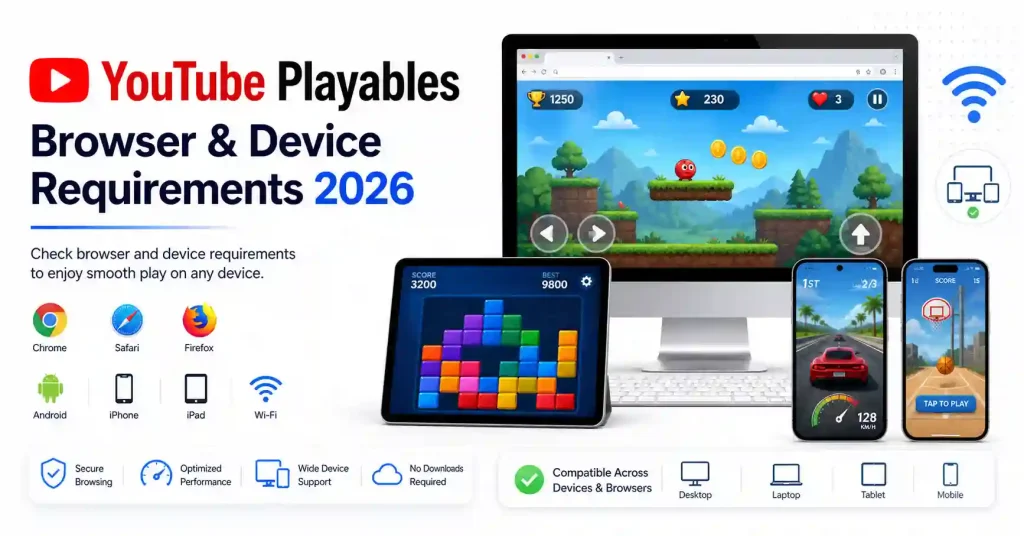
This makes Playables different from traditional mobile games.
| Feature | Traditional Mobile Game | YouTube Playables |
|---|---|---|
| Separate installation | Usually required | Not normally required |
| App store download | Usually required | No separate game download |
| YouTube integration | No | Yes |
| Browser access | Depends on game | Supported browsers can play |
| Quick sessions | Depends on game | Designed for quick gameplay |
| Game progress | Game dependent | Supported progress can sync with YouTube account |
For more information about creating and submitting games, see our guide:
Internal Link: How to Make Games for YouTube Playables
YouTube Playables Device Requirements 2026
The basic requirement is simple: you need a supported device, an up-to-date YouTube experience and an internet connection.
According to YouTube’s current Playables Help page, the supported platforms include Android, iOS and desktop/mobile web. The current listed browser support for Playables is Chrome, Safari and Firefox.
YouTube Playables Requirements at a Glance
| Platform | Requirement |
|---|---|
| Android | Android S and above; some older Android versions are supported on qualifying devices |
| iPhone | iOS 14 or newer |
| iPad | iOS 14 or newer |
| Desktop Web | Chrome, Safari or Firefox |
| Mobile Web | Chrome, Safari or Firefox |
| Internet | Wi-Fi or mobile data |
| YouTube App | Supported and sufficiently updated version |
| Installation | No separate Playables game installation normally required |
YouTube currently lists YouTube app version 20.46 or higher for Android and 20.44 or higher for iOS on its Playables requirements page.
Because YouTube can change supported versions, users should check the official requirements before troubleshooting an older device.
External Link: Official YouTube Playables Help and Requirements
Android Requirements
Android users can access Playables through supported YouTube experiences.
YouTube currently lists:
- Android S and above
- Android O, P, Q and R can also be supported on 64-bit or high-memory 32-bit devices
- Android YouTube app version 20.46 or higher is currently listed for Playables.
Android Compatibility Table
| Android Version | Playables Support |
|---|---|
| Android 14/15/16 and newer | Supported |
| Android 12 / 13 | Supported |
| Android 11 | Supported |
| Android 10 | Can be supported depending on device characteristics |
| Android 9 and older | Device-specific; check current YouTube support |
| Very old/low-memory devices | May experience compatibility or performance problems |
The operating-system version alone does not guarantee that every game will run perfectly. Available RAM, browser/app version, GPU performance and network quality can also affect the gameplay experience.
Android users should check:
- Open Settings.
- Go to About Phone or System Information.
- Check the Android version.
- Open Google Play Store.
- Search for YouTube.
- Install the latest available update.
- Reopen YouTube.
- Check whether Playables are available.
For developers, testing on more than one Android device is useful because low-memory and high-performance phones can behave differently.
iPhone & iPad Requirements
YouTube currently lists iOS 14 and above for Playables. The current Playables requirements page also lists YouTube iOS app version 20.44 or higher.
iPhone and iPad Requirements
| Requirement | Current Information |
|---|---|
| Operating System | iOS 14+ |
| iPhone | Supported models running supported iOS |
| iPad | Supported iPad devices running supported iOS/iPadOS |
| YouTube App | Version 20.44+ currently listed |
| Internet | Wi-Fi or mobile data |
| Separate Game Installation | Normally not required |
If Playables are missing on an iPhone or iPad, update both the operating system and YouTube app before trying more advanced troubleshooting.
External Link: YouTube Help – Mobile Browser Information
Supported Browsers
Browser support is especially important for people who want to play YouTube Playables from a computer.
YouTube currently lists these browsers for Playables:
- Google Chrome
- Safari
- Mozilla Firefox
This applies to the desktop/mobile web Playables experience listed by YouTube.
Browser Compatibility
| Browser | Playables |
|---|---|
| Google Chrome | Supported |
| Mozilla Firefox | Supported |
| Safari | Supported |
| Outdated browser versions | May cause compatibility problems |
| Unsupported/other browsers | Experience may vary |
For normal YouTube web usage, Google also recommends using the newest versions of Chrome, Firefox or Safari.
Why Browser Version Matters
Modern browser features are important for HTML5 games. An outdated browser may cause:
- Slow loading
- Game freezing
- Touch or keyboard issues
- Audio problems
- Incorrect screen scaling
- JavaScript errors
- Blank game areas
If a Playable does not load correctly, updating the browser is one of the easiest first checks.
internet Connection Requirements
YouTube Playables require an internet connection.
YouTube’s Playables requirements state that users need to be connected to Wi-Fi or a mobile data plan, and normal data charges may apply.
There isn’t a single official Playables-specific minimum Mbps number stated on the Playables Help page.
However, a stable connection is important because the game may need to load game assets, scripts and other resources.
Connection Quality Guide
| Connection | Expected Experience |
|---|---|
| Stable Wi-Fi | Generally suitable |
| Strong 4G/5G | Generally suitable |
| Weak mobile data | Loading may be slow |
| Unstable connection | Games may fail to load or reconnect |
| Frequent network switching | Can interrupt loading |
For YouTube’s general video service, the company publishes separate bandwidth guidance, but those figures should not be treated as a specific Playables minimum requirement.
Device Performance
A device can technically support Playables but still provide a poor gaming experience if its hardware is old or heavily loaded.
HTML5 games can use CPU, GPU, RAM and browser resources. More complex games may therefore require more performance than simple games.
Factors That Affect Playables Performance
| Factor | Impact |
|---|---|
| RAM | Affects multitasking and game stability |
| CPU | Important for game logic |
| GPU | Important for graphics and effects |
| Browser | Controls web-game compatibility |
| Device temperature | High temperatures can reduce performance |
| Background apps | Can consume RAM/CPU |
| Storage | Very low free storage can affect general device performance |
| Internet | Affects initial loading and online resources |
For Better Performance
Try these steps:
- Close unnecessary browser tabs.
- Close background apps.
- Update YouTube.
- Update your browser.
- Restart the device.
- Use a stable Wi-Fi or mobile connection.
- Avoid playing while the device is extremely hot.
- Try another supported browser if the problem continues.
A lightweight Playable can run well on modest hardware, but developers should not assume that every device will provide identical performance.
YouTube App Requirements
For mobile users, the YouTube app version is particularly important.
YouTube’s current Playables documentation lists:
- Android: YouTube app version 20.46 or higher
- iOS: YouTube app version 20.44 or higher.
These version numbers can change as YouTube updates the Playables experience.
How to Update YouTube on Android
- Open Google Play Store.
- Search for YouTube.
- Tap Update if available.
- Wait for installation.
- Open YouTube again.
- Check Playables.
How to Update YouTube on iPhone/iPad
- Open the App Store.
- Search for YouTube.
- Tap Update.
- Reopen the application.
- Check the Playables section.
How to Check Playables Compatibility
If you’re not sure whether your device supports YouTube Playables, follow this quick checklist.
Step 1: Check Your OS
Make sure your Android or iOS version is within the supported range.
Step 2: Update YouTube
Install the latest available YouTube app update.
Step 3: Check Your Browser
If you’re using the web version, use an updated version of:
- Chrome
- Safari
- Firefox
Step 4: Check Internet
Switch between Wi-Fi and mobile data if the game doesn’t load.
Step 5: Restart YouTube
Close the application or browser completely and reopen it.
Step 6: Test Another Device
If possible, open YouTube Playables on another supported device.
This helps identify whether the issue is related to the account, network, browser or device.
Common Problems and Troubleshooting
Not seeing Playables doesn’t always mean that your phone is unsupported.
Several factors can affect availability.
Problem 1: Playables Are Not Showing
Check:
- YouTube app version
- Operating system
- Account availability
- Country/region
- Internet connection
YouTube currently lists Playables availability in selected countries, including India, United States, United Kingdom, Canada, Australia and several other markets.
Problem 2: Game Is Stuck Loading
Try:
- Refreshing YouTube.
- Switching networks.
- Updating YouTube/browser.
- Restarting the device.
- Closing background apps.
- Testing another supported browser.
Problem 3: Game Is Lagging
Possible causes include:
- Low available RAM
- High CPU usage
- Device overheating
- Too many background applications
- Heavy game assets
- Browser performance
- Network problems during loading
Problem 4: Game Is Not Responding
Try:
- Refreshing the page.
- Restarting YouTube.
- Testing another supported browser.
- Checking touch/keyboard input.
- Updating the browser.
Problem 5: Audio Is Not Working
Check:
- Device volume
- YouTube/player mute state
- Browser permissions
- Bluetooth headphones
- Game audio settings
Developer Testing Checklist
If you’re developing a game for YouTube Playables, don’t test only on your own computer.
A practical compatibility test should cover multiple devices and browsers.
Developer Checklist
| Test Area | What to Check |
|---|---|
| Android | Different Android devices |
| iPhone/iPad | Different supported iOS devices |
| Chrome | Game loading and controls |
| Safari | Layout, audio and touch |
| Firefox | Game loading and input |
| Mobile | Touch controls and responsive UI |
| Desktop | Keyboard/mouse controls |
| Slow Network | Loading and error handling |
| Low-End Device | FPS and memory behavior |
| Orientation | Portrait/landscape behavior |
| Audio | Start, pause and resume behavior |
| Game State | Save/resume behavior |
| Loading | Initial loading time |
| Errors | Broken asset/script handling |
Developers should also test the game against YouTube’s current certification requirements rather than relying only on general browser compatibility.
Internal Link: How to Test a Game Before Submitting to YouTube Playables
Internal Link: YouTube Playables Requirements Guide 2026
For trust and safety requirements, YouTube’s developer documentation says Playables must comply with YouTube Community Guidelines and applicable rights requirements, including intellectual-property and music rights.
External Link: Google for Developers – Playables Trust & Safety Requirements
FAQs
1. What devices support YouTube Playables in 2026?
YouTube currently supports Playables on compatible Android and iOS devices as well as desktop/mobile web through supported browsers.
2. Which browsers support YouTube Playables?
YouTube currently lists Chrome, Safari and Firefox for Playables on desktop/mobile web.
3. Does YouTube Playables require a separate app?
No. Playables are integrated into YouTube, so users generally don’t need to install a separate game application.
4. What iOS version is required for YouTube Playables?
YouTube currently lists iOS 14 or newer for Playables.
5. Can I play YouTube Playables on Android?
Yes. YouTube currently lists Android S and above, with certain older Android versions also supported on qualifying devices.
6. Why is YouTube Playables not showing on my device?
Possible reasons include an outdated YouTube app, unsupported operating system, unsupported browser, country availability, account-related availability or a temporary YouTube issue. Checking the latest official Playables requirements is the best starting point.
Final Thoughts
The YouTube Playables Browser and Device Requirements 2026 are relatively straightforward for most users. On mobile, keeping the YouTube app and operating system updated is important. On the web, an updated Chrome, Safari or Firefox browser is recommended.
For developers, compatibility testing should go beyond simply checking whether a game opens. Touch controls, keyboard input, screen sizes, performance, audio, loading behavior and different browsers should all be tested before submitting a game.
YouTube can change Playables availability and technical requirements over time, so developers and users should check the official YouTube documentation for the latest information.
Related Guides on Playables.in: