
Interactive gaming is evolving rapidly, and YouTube Playables have become one of the most powerful ways to engage users directly within the YouTube platform. Instead of just watching traditional video advertisements, millions of users can now instantly play lightweight, high-quality HTML5 games directly inside the YouTube app or desktop site across both mobile and desktop environments.
To build these seamless experiences, developers rely on the YouTube Playables SDK. This technical toolkit provides the core lifecycle hooks, APIs, and event handlers needed to create, optimize, and deploy interactive games that load quickly and perform smoothly across all devices.
In this step-by-step developer guide, you will learn how the YouTube Playables SDK works, how to properly set up your local development environment, integrate core platform APIs, handle dynamic game states, and optimize your asset pipeline for production deployment.
What is the YouTube Playables SDK?
The YouTube Playables SDK is a native deployment toolkit designed to help developers adapt and launch HTML5 games directly within YouTube’s infrastructure. Included inside the SDK are essential lifecycle APIs, state managers, and data utilities that handle player progression, pause states, hardware resizing, and native high-score reporting to YouTube’s ecosystem.
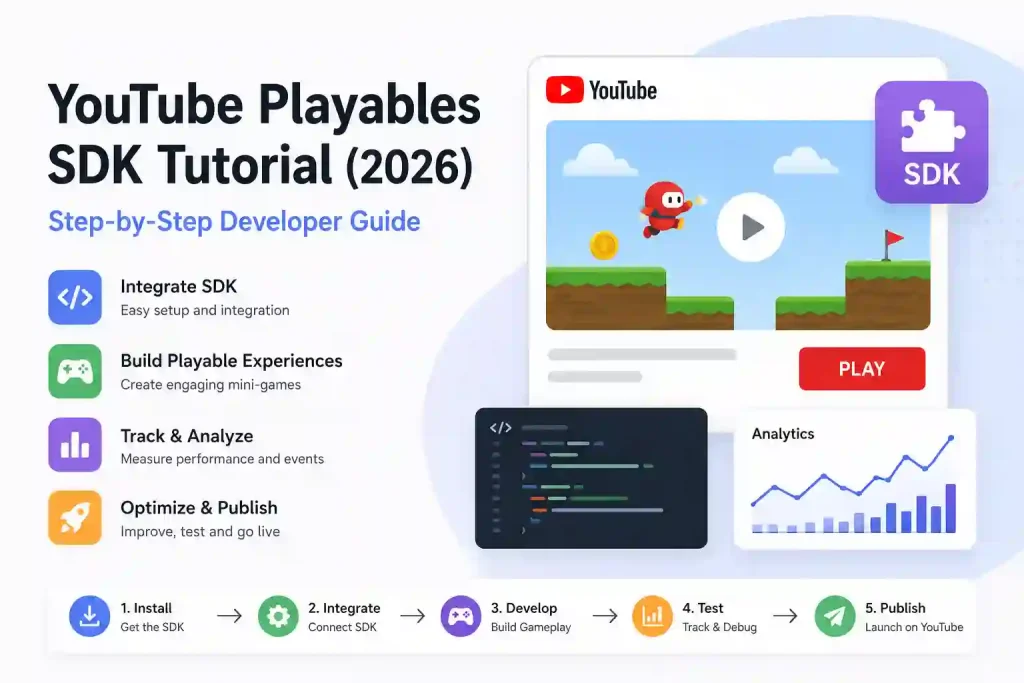
By abstracting complex cross-device compatibility and iframe behaviors behind the scenes, the framework allows game studios to focus entirely on creating engaging gameplay mechanics rather than dealing with fragmented browser-specific quirks.
Key Benefits of Using the SDK
- Fast Integration: Pre-built hooks for common platform functionalities significantly cut down custom backend development timelines.
- Massive Discoverability: Direct, unhindered access to YouTube’s global audience via the native and dedicated Playables feed.
- Native Analytics Insights: Access platform metrics like active session durations, retention behavior, and completion milestones.
- Cross-Device Fluidity: Guarantees stable framerates and responsive canvas resizing on everything from entry-level smartphones to high-end desktops.
💡 Developer Enrollment: If you are planning to launch your game title on the platform, make sure to submit your official application through theYouTube Playables Interest Formto get early access to the developer dashboard.
System Requirements and Environment Setup
Since YouTube Playables run entirely on standard web technologies, developers do not require heavy native runtime engines. Your primary stack will rely heavily on optimized modern web standards.
Recommended Environment Checklist
- Core Stack: Valid HTML5, CSS3, and modern JavaScript (ES6+) or TypeScript.
- Code Editor: Visual Studio Code or any comparable web development IDE.
- Target Browsers: Google Chrome, Microsoft Edge, or Mozilla Firefox with active Developer Tools for mobile viewport emulation.
- SDK Access: Inclusion of the verified YouTube Playables integration script wrapper.
Step-by-Step SDK Integration
Step 1: Install and Initialize the SDK
The first step requires loading the official YouTube Playables SDK script block inside your game’s main index.html entry point before any other engine bundles load.
HTML
<script src="https://www.youtube.com/playables/v1/sdk.js"></script>
In your main JavaScript setup file, initiate the environment configuration sequence before loading heavy textures, audio buffers, or level maps:
JavaScript
// Initialize the YouTube Playable environment
window.ytPlayables.init().then(() => {
    console.log("YouTube Playables SDK successfully initialized.");
    // Safe to load game assets now
    startGameLoadingSequence();
}).catch((error) => {
    console.error("SDK Initialization failed: ", error);
    // Graceful fallback for the user experience
    showFallbackUI();
});
Step 2: Connect Game Logic with SDK Lifecycle Functions
The platform architecture must know exactly when your game is streaming assets, when the first scene is interactive, and when a player triggers an intent to exit. You must map these phases cleanly to the SDK lifecycle hooks.
JavaScript
function finaliseLoading() {
    // Notify YouTube that your game assets are fully ready
    window.ytPlayables.gameReady();
}

function onPlayerExitClick() {
    // Notify the platform container if the player triggers an exit menu
    window.ytPlayables.exitGame();
}
Step 3: Handle Player Inputs and Responsive Canvas States
YouTube Playables operate within a highly dynamic responsive wrapper that scales fluidly based on screen orientation changes. Your event listeners should handle canvas adjustments instantly to avoid layout clipping:
JavaScript
// Central dynamic resize handler
function handleResize() {
    const width = window.innerWidth;
    const height = window.innerHeight;

    // Update game engine canvas size dynamically
    gameEngine.resize(width, height);
}

window.addEventListener('resize', handleResize);
window.addEventListener('orientationchange', handleResize);
Step 4: Submit Scores and Achievements
Tracking player scores connects your title to global platform social engagement. Utilize the score endpoints instantly when a level objective is checked:
JavaScript
function onLevelComplete(finalScore, levelName) {
    console.log(`Level ${levelName} completed. Submitting score: ${finalScore}`);

    // Submitting the metrics directly to the platform
    window.ytPlayables.submitScore({
        score: finalScore,
        level: levelName
    }).then(() => {
        console.log("Score successfully synced with YouTube Leaderboards.");
    }).catch((err) => {
        console.error("Failed to sync score: ", err);
    });
}
Step 5: Optimize Performance for Instant Play
Users scrolling on YouTube expect games to load instantly. Performance engineering is your single highest vector for player retention.
- Asset Compression: Compress all visual assets into modern formats like WebP or AVIF and audio channels down to highly optimized mono/stereo OGG or MP3 wrappers.
- Code Optimization: Minify your production JavaScript distribution bundles and completely drop unused third-party packages.
- Memory Recycling: Leverage strict Object Pooling for frequently spawned or destroyed entities (e.g., ammunition, particle bursts) to eliminate Garbage Collection lag spikes and preserve a rock-solid 60 FPS experience.
- Draw Call Minimization: Group disparate images into unified Texture Atlases to minimize continuous GPU state changes, ensuring flawless execution on mid-tier mobile hardware.
Testing and Uploading Your Game
Before deploying your final archive package to the live production server, rigorous pipeline validation is heavily advised.
First, emulate restricted network environments using browser developer panels to test loading times under simulated 3G/4G bandwidth constraints. Second, test state continuity by validating that switching browser tabs or receiving phone alerts freezes your execution loop properly using the SDK’s focus event hooks.
For a detailed technical visual guide on debugging tools and setup structures, watch the comprehensive YouTube Playables Integration Walkthrough Video.
Once testing results confirm compliance, compile your build into a lightweight compressed web directory matching the official guidelines, purge your codebase of console logging outputs, and submit the final archive via your dedicated YouTube Developer Dashboard.
Frequently Asked Questions
1. What is the YouTube Playables SDK used for?
The SDK securely connects your standard HTML5 web game files to the host YouTube framework, powering platform synchronization, leaderboard score handling, lifecycle management, and focus state mapping.
2. Can I build games using engine tools like Unity or Cocos?
Yes. Engines such as Unity (via optimized WebGL export templates), Cocos Creator, or Phaser can be utilized, provided the final build pipeline outputs lightweight web directories that can execute native script endpoints smoothly.
3. Do Playables run offline?
No. YouTube Playables operate exclusively inside an active platform frame container and require an active network connection to initialize, download game scripts, and synchronize user data.
4. What are the file size limits for a Playable game?
While absolute platform quotas vary by dev tier, the definitive industry recommendation is to keep the initial load bundle size strictly below 5 MB to ensure instantaneous rendering worldwide.
6 thoughts on “Easy YouTube Playables SDK Tutorial (2026): Step-by-Step Developer Guide”