
Hello friends, and welcome to another great article! If you’ve ever thought about creating your own game and uploading it to YouTube, today’s article is going to be very special for you. That’s because today we’ll be talking about YouTube Playables—mini-games that users can play directly within YouTube without installing any external apps.
Gaming and content creation are both growing rapidly, and many people assume that creating a game is a difficult task—or requires extensive coding skills—but with the right approach and the right tools, you can easily create a simple yet fun game.
In this article, I’ll explain step-by-step what YouTube Playables are, what types of games are best for this platform, what free tools and software you can use, and how to make your game mobile-friendly. We’ll also look at how to optimize your game so it loads quickly and provides users with a smooth and seamless experience.
So, whether you’re a beginner developer, a student, a YouTuber, or a game creator looking to create their first YouTube game, be sure to read this article to the end. “If you like this content, don’t forget to share it with your friends.”
What Are YouTube Playables?
Friends, let’s now discuss what exactly YouTube Playables are. Simply put, YouTube Playables are mini-games that users can play directly within the YouTube platform itself. There is no need to download or install any separate app to access them.
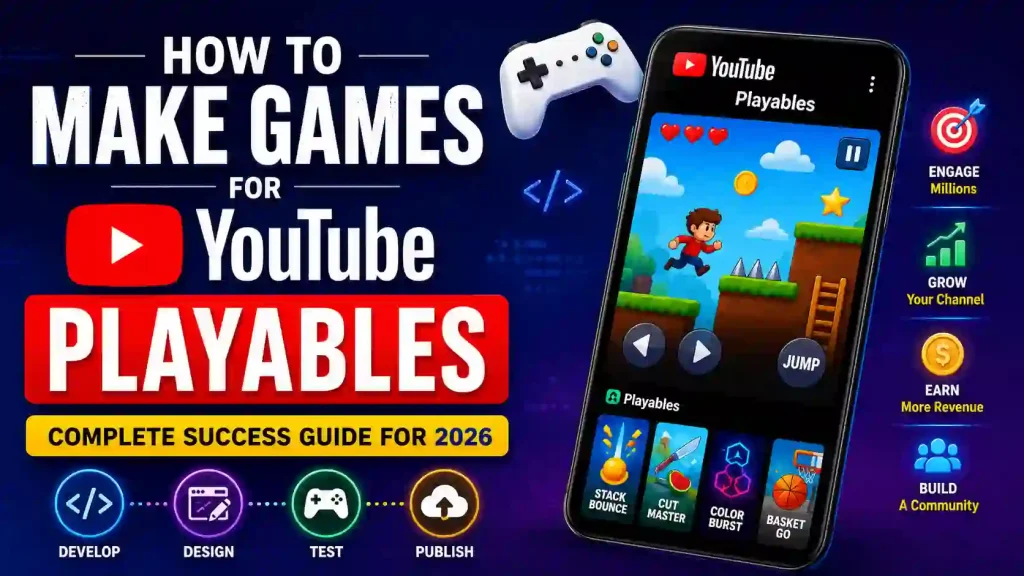
This means that YouTube is no longer merely a platform for watching videos; users can now enjoy gaming experiences here as well. These games are lightweight and load very quickly, offering a remarkably smooth experience, even for mobile users.
Most YouTube Playables are built using HTML5 technology. Consequently, these games run directly within the browser environment. Simple casual games—such as puzzle games, running games, arcade games, and tapping games—are the most popular titles within this category.
YouTube’s objective is to encourage users to spend more time on the platform while providing them with an interactive experience. Meanwhile, this has emerged as a significant opportunity for developers and creators. If you have a unique game concept, you can now reach millions of YouTube users with your game.
The most notable feature is that users do not have to go through a lengthy signup process or install an app just to play a game. It takes just a single click to start playing. This is precisely why YouTube Playables are poised to grow rapidly within the gaming industry in the near future.
Why Developers Are Interested in YouTube Games
Now, the question arises: why exactly are developers and creators taking such a keen interest in YouTube Games? The primary reason is audience reach; YouTube is the world’s largest video platform, with millions of active users every single day. Consequently, if your game runs directly on YouTube, you face less of a need to independently acquire users.
Previously, developers had to build a dedicated app for their game and then publish it on the Play Store or App Store. However, with YouTube Playables, users can play a game instantly without needing to install anything. This boosts user interest and helps the game reach a wider audience.
Another major factor is engagement; when viewers play games alongside watching videos, they spend more time on the platform. This creates a win-win situation for both creators and developers.
This also presents a fantastic opportunity for beginners and developers, as even small and simple games have the potential to go viral here. If your game is entertaining and loads quickly, people will enjoy playing it again and again.
YouTubers can leverage their videos to promote their games. This means there is an opportunity to grow both content creation and game development simultaneously. This is precisely why YouTube Games is poised to become a major platform for developers in the near future.
Requirements Before You Start
Now, if you wish to create your own game for YouTube Playables, there are a few essential things you should know before getting started. First and foremost, you need to have a basic understanding of game development. If you possess even a rudimentary knowledge of HTML, CSS, and JavaScript, it will prove to be extremely helpful, as most YouTube Playables are built using HTML5 technology.
However, if you do not know how to code, there is no need to worry. Today, there are numerous tools available—such as Construct 3, GDevelop, and Phaser.js—that enable even beginners to easily create simple games.
The second crucial requirement is to create a lightweight game. The primary focus of YouTube Playables is on fast loading times and smooth performance. Therefore, it is advisable to start by creating small and simple games—such as puzzle games, tapping games, or endless runner games.
Mobile optimization is absolutely essential, given that the majority of users play games on their mobile devices. Consequently, your game must be responsive, and its touch controls need to function flawlessly.
Another vital element is creativity. Your game does not necessarily have to be massive in scale or feature high-fidelity graphics. As long as the gameplay is fun and engaging, even a simple game can resonate with the audience.
So, before you begin, be sure to focus on mastering basic tools, formulating a simple game concept, and designing for mobile-friendliness. These are the key factors that will help you create a successful first game for YouTube Playables.
1. Learn HTML5 Game Development
First of all, you should learn HTML5 game development, because most of the YouTube Playables are built on HTML5 technology. To do this, you will need a foundational understanding of HTML, CSS, and JavaScript. If you are new to coding, you can utilize tools such as Phaser.js, Construct 3, or GDevelop. These tools are quite accessible for beginners, enabling you to create simple games without the complexities of heavy coding.
2. Keep the Game Lightweight
Keep your game ‘lightweight.’ The greatest advantage of YouTube Playables is their rapid loading speed. If your game’s file size is excessive or if it features overly complex graphics, users may abandon it almost immediately. Therefore—especially when you are just starting out—prioritize simple graphics, compressed images, and optimized audio files. Smaller, smoother games tend to perform significantly better.
Your game should:
- Load quickly
- Work smoothly on mobile
- Use compressed assets
- Avoid heavy 3D graphics
Best Game Types for Beginners
- Endless runner
- Memory game
- Tap challenge
- Puzzle game
- Simple racing game
3. Optimize for Mobile
‘Mobile Optimization.’ Since the majority of people today access YouTube via mobile devices, it is crucial that your game be ‘mobile-friendly.’ Touch controls must function seamlessly, and the game’s interface should adapt correctly to various screen sizes. Strive to make the buttons large and intuitive so that users encounter no difficulties while playing.
Make sure your game:
- Fits small screens
- Has touch controls
- Uses responsive design
- Supports portrait mode
If you focus on these three key principles—HTML5 development, lightweight performance, and mobile optimization—your YouTube Playable game will look highly professional and engaging.
Best Tools to Make YouTube Playables
Now, let’s discuss the best tools that allow you to easily create games for YouTube Playables. If you are a beginner or are currently learning game development, choosing the right tool is crucial.
Phaser.js
The first and most popular tool is Phaser.js. This is a powerful HTML5 game framework that enables you to create lightweight and fast-loading games. If you have a basic understanding of JavaScript, Phaser could be an excellent option for you.
- HTML5 games
- Fast loading
- JavaScript developers
Perfect if you want full control.
Construct 3
The second tool is Construct 3. It is considered particularly beginner-friendly due to its drag-and-drop system. This means you can create simple games without requiring extensive coding. Mobile optimization and HTML5 export are also quite straightforward with this tool.
Features:
- Drag-and-drop interface
- Quick exports
- Easy mobile optimization
GDevelop
The third fantastic tool is GDevelop. It is also highly popular among beginners and students. It features a visual interface that allows you to design games quickly. If you feel intimidated by coding, this tool could be the perfect fit for you.
You can:
- Build games visually
- Export HTML5 builds
- Create prototypes fast
Unity (WebGL)
Additionally, some developers utilize Unity WebGL. However, this can be a bit overwhelming for beginners, as the resulting games tend to have larger file sizes and potentially longer loading times
Why?
- Larger file sizes
- Slower loading times
- Heavier performance requirements
If you are just starting out, it would be best to begin with either Construct 3 or GDevelop. On the other hand, if you enjoy coding, learning Phaser.js could prove to be highly beneficial for you in the future.
How to Make a Game for YouTube Playables
Now comes the most important question: how exactly do you create a game for YouTube Playables? If you are a beginner, always start with a simple game idea. In the beginning, do not attempt to create large-scale multiplayer games or games with high-fidelity graphics. You can start with an endless runner, a puzzle game, a tapping game, or a simple arcade game.
Step 1 — Plan a Simple Game Idea
The very first—and most important—step is to choose a simple game idea. Many beginners make the mistake of attempting to create a large and complex game right at the start, which makes completing the project difficult. Therefore, always begin with a small and simple game.
You should choose a game that people can grasp instantly and start playing without needing extensive instructions. For instance, endless runners, tapping games, puzzle games, memory games, or reaction-speed games are excellent options for beginners.
When selecting a game idea, consider how you can make your game fun. It is not strictly necessary to have high-end graphics; if the gameplay itself is engaging, even a simple game can resonate with players.
Furthermore, keep the game “short-session friendly”—meaning the user should be able to enjoy a round of the game within 1 to 5 minutes. This is because YouTube Playables are generally considered best suited for casual gaming experiences.
Another crucial point is to avoid trying to cram too many features into the game right at the beginning. First, establish the basic gameplay mechanics, and then gradually introduce new levels, rewards, or challenges later on.
If your initial game idea is simple, fast-paced, and engaging, the development process will be smoother, and users will find the game much more enjoyable to play.
Good beginner ideas:
- Flappy Bird clone
- Endless jumper
- Color matching game
- Tic-Tac-Toe
- Reaction speed game
Simple games perform better for casual audiences.
Step 2 — Build Core Gameplay First
The second step is, first and foremost, to develop the core gameplay of your game. This means that, initially, you should focus exclusively on the elements that make the game playable—such as player movement, the jumping system, score tracking, and game-over mechanics.
Many beginners attempt to incorporate advanced graphics, animations, and extra features right from the start, which only serves to overcomplicate the project. Therefore, begin by creating a simple version and verify whether the game feels enjoyable to play.
If the gameplay is smooth and engaging, even a game with simple graphics can appeal to users. Strive to ensure that the user understands exactly what they need to do within just a few seconds of starting the game.
Once the basic gameplay is functioning correctly, you can then gradually add sounds, effects, additional levels, and extra features. This is the very same approach followed by professional developers.
Focus on:
- Player movement
- Scoring system
- Restart button
- Smooth controls
Ignore advanced features initially.
Your first goal:
Make the game playable in under 30 seconds.
Step 3 — Add Mobile Controls
Now, the third step is adding mobile controls to your game. Since the majority of users access YouTube and YouTube Playables on mobile devices, it is crucial that your game is mobile-friendly.
Strive to keep the controls simple and easy to use—such as tapping, swiping, or hold controls. Small buttons or complicated control schemes can frustrate users; therefore, ensure that your buttons are large and clearly visible.
Furthermore, it is essential to test your game across various screen sizes. Your game should fit properly on every mobile device, and the controls must function smoothly. If a user can play the game without encountering any difficulties, they will remain engaged with it for a longer duration.
Simple and responsive mobile controls make your game appear more professional and user-friendly.
Use:
- Tap controls
- Swipe gestures
- Large buttons
- Minimal UI
Avoid keyboard-only gameplay.
Step 4 — Optimize Performance
Now, the fourth step is to optimize your game’s performance. In YouTube Playables, fast loading and smooth gameplay are crucial. If your game runs slowly or takes too long to load, users may quickly abandon it.
First, remove unnecessary files and compress your images. Aim for graphics that are simple and lightweight; heavy animations and large assets can slow down the game’s speed.
Additionally, optimize your audio files and use only the essential sounds. The game’s code should be clean and optimized to ensure smooth performance, even on mobile devices.
Test your game on various devices to check for any lag or frame drops. If your game is fast and responsive, users will enjoy a better experience and be more inclined to play for longer periods.
This step is critical for Youtube Playables Game Upload approval.
Compress Everything
- Images → WebP
- Audio → MP3 or OGG
- Minify JavaScript
Reduce Loading Time
Aim for:
- Fast startup
- Low memory usage
- Smooth FPS on older devices
Step 5 — Export as HTML5
Now comes the fifth and final step: exporting your game in HTML5 format. HTML5 is considered the most crucial technology for YouTube Playables, as it is the format that functions seamlessly across both browsers and mobile devices.
If you are utilizing tools such as Construct 3, GDevelop, or Phaser.js, they come with a built-in HTML5 export option. You simply need to build and export your game.
Upon exporting, you will receive a set of files—including HTML, JavaScript, and asset folders. It is essential to organize these files correctly to ensure the game runs smoothly.
Next, test your game in a browser to verify that the loading speed, controls, and gameplay are functioning properly. Strive to ensure that the game remains fast and responsive on every device.
Once your game has been successfully exported to HTML5, you can upload it to a hosting platform to prepare it for the subsequent stages of the YouTube Playables process.
You’ll usually get:
- index.html
- JavaScript files
- Asset folders
Test the game locally before uploading.
How to Upload Game in YouTube Playables
Now, let’s discuss how to upload a game to YouTube Playables. First, your game must be developed in HTML5 format and be mobile-friendly. Next, upload the game files to a hosting platform such as GitHub Pages, Netlify, or Firebase.
Many beginners search for how to upload games in youtube playables, but YouTube Playables access is currently limited and may not be open to every creator.
Still, here’s the general process developers follow.
Basic Upload Workflow
1. Prepare Your HTML5 Build
First, develop your game in HTML5 format. Ensure that the game is fast-loading, lightweight, and mobile-friendly. All files should be properly optimized, and the controls should function smoothly. Be sure to test the game across various browsers and devices before uploading it.
Your game must:
- Be browser-compatible
- Load quickly
- Work on mobile devices
2. Host the Game Files
Now, upload your game files to a hosting platform. You can use services such as GitHub Pages, Netlify, Firebase, or Vercel. This makes your HTML5 game accessible online, allowing it to run easily in a browser.
You’ll typically need hosting like:
- GitHub Pages
- Firebase Hosting
- Netlify
- Vercel
3. Meet YouTube Requirements
Prepare your game in accordance with YouTube’s guidelines and requirements. The game should be safe, lightweight, and mobile-friendly. It must not contain any copyrighted content or harmful material. Additionally, the controls should be smooth and the loading speed fast to ensure a superior user experience.
Your game should:
- Follow platform policies
- Avoid copyrighted content
- Be safe for users
- Have responsive controls
4. Submit Through Available Programs
Next, submit your game through the programs or beta access available for YouTube Playables. YouTube periodically extends Playables support to selected developers. Therefore, follow the official guidelines and ensure your game is properly optimized and ready to increase your chances of approval.
YouTube sometimes works with:
- Selected developers
- Beta programs
- Playables partnerships
Access availability can change over time.
SEO Tips for YouTube Playables Developers
If you are creating YouTube Playables games, simply building a good game is not enough. A sound SEO strategy is also crucial to ensure that a wider audience can discover and access your game. To begin with, incorporate relevant keywords—such as “YouTube Playables,” “HTML5 Games,” “Mini Games,” or “Browser Games”—into the titles of your game and accompanying videos. This can significantly improve your content’s ranking in search results.
Furthermore, utilize eye-catching thumbnails and engaging descriptions. In your video descriptions, be sure to highlight your game’s unique selling points, key features, and gameplay details. The strategic use of appropriate hashtags and tags also plays a vital role in boosting discoverability.
If you manage a YouTube channel, consider uploading content related to your game development process, gameplay clips, and behind-the-scenes footage. This helps keep your audience invested in your project and fosters increased engagement.
Additionally, share your game across various social media platforms and gaming communities. This can help generate initial traffic and gather valuable feedback.
Most importantly, consistency is key. Regularly uploading content and actively responding to audience comments can accelerate the growth of both your channel and your game. Ultimately, a robust SEO strategy is instrumental in helping your YouTube Playable game reach a broader audience.
If you’re also a creator, combine gaming with content marketing.
Create Videos About:
- Game development progress
- Behind-the-scenes clips
- Gameplay challenges
- Devlogs
This helps grow:
- Your audience
- Your game visibility
- Organic traffic from YouTube search
Final Thoughts
So friends, by now you must have understood what YouTube Playables are and how you can create your own games for them. In today’s landscape, both gaming and content creation are growing rapidly, and YouTube Playables is emerging as a new opportunity for developers and creators a like.
Even if you are a beginner, you can easily get started by creating small and simple games. Your first game doesn’t necessarily have to be massive or feature high-end graphics. The most crucial elements are fun gameplay, fast loading times, and a smooth mobile experience. If users can play your game with ease and enjoy themselves, the chances of your game gaining traction increase significantly.
In this article, we explored how to create HTML5 games, which tools can be utilized, why mobile optimization is essential, and how the YouTube Playables upload process works. If you continue to practice consistently, your game development skills will gradually improve over time.
In the near future, the demand for interactive content and browser-based gaming is likely to rise even further. Therefore, starting to learn and experiment in this field right now could prove to be highly beneficial for you in the future.
Are you planning to build your first YouTube playable game? What type of game idea do you want to create first?
2 thoughts on “How to Make Games for YouTube Playables: Complete Success Guide for 2026”